Integrations
Works with what
you already use.
Message hosts and recipients in Microsoft Teams, post updates to Slack, keep your directory in sync, and connect Receivly to the rest of your workplace.
Receivly for Microsoft Teams
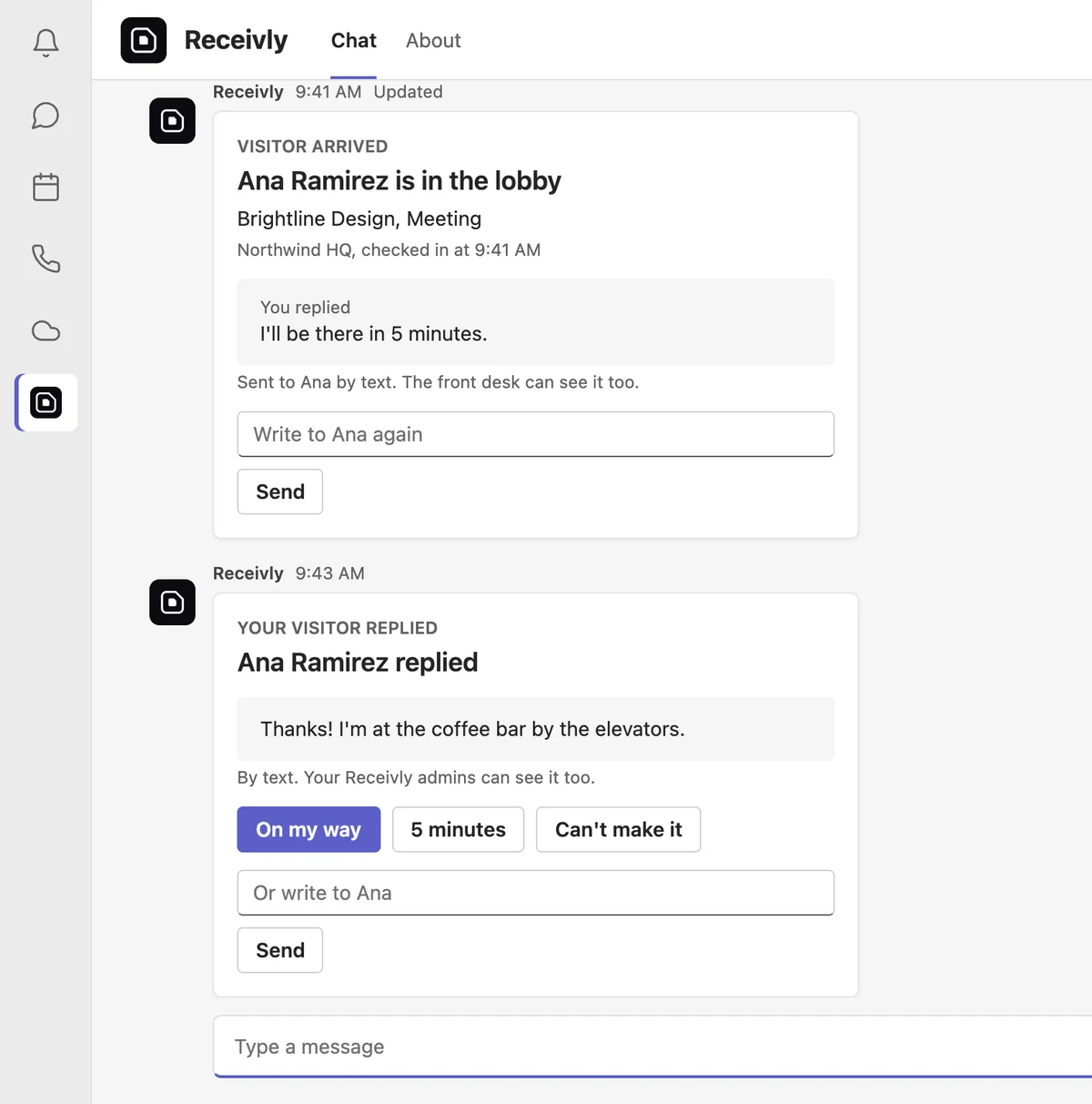
Hosts hear about their visitors in Teams.
When a visitor checks in, their host gets a message in Teams right away. One tap answers it, and the visitor gets the answer by text.
- Quick answers: On my way, 5 minutes or Can't make it, or a few words of their own.
- When the visitor texts back, the reply shows up in the same Teams chat.
- Every reply is saved with the visit in Receivly.
Receivly for Microsoft Teams
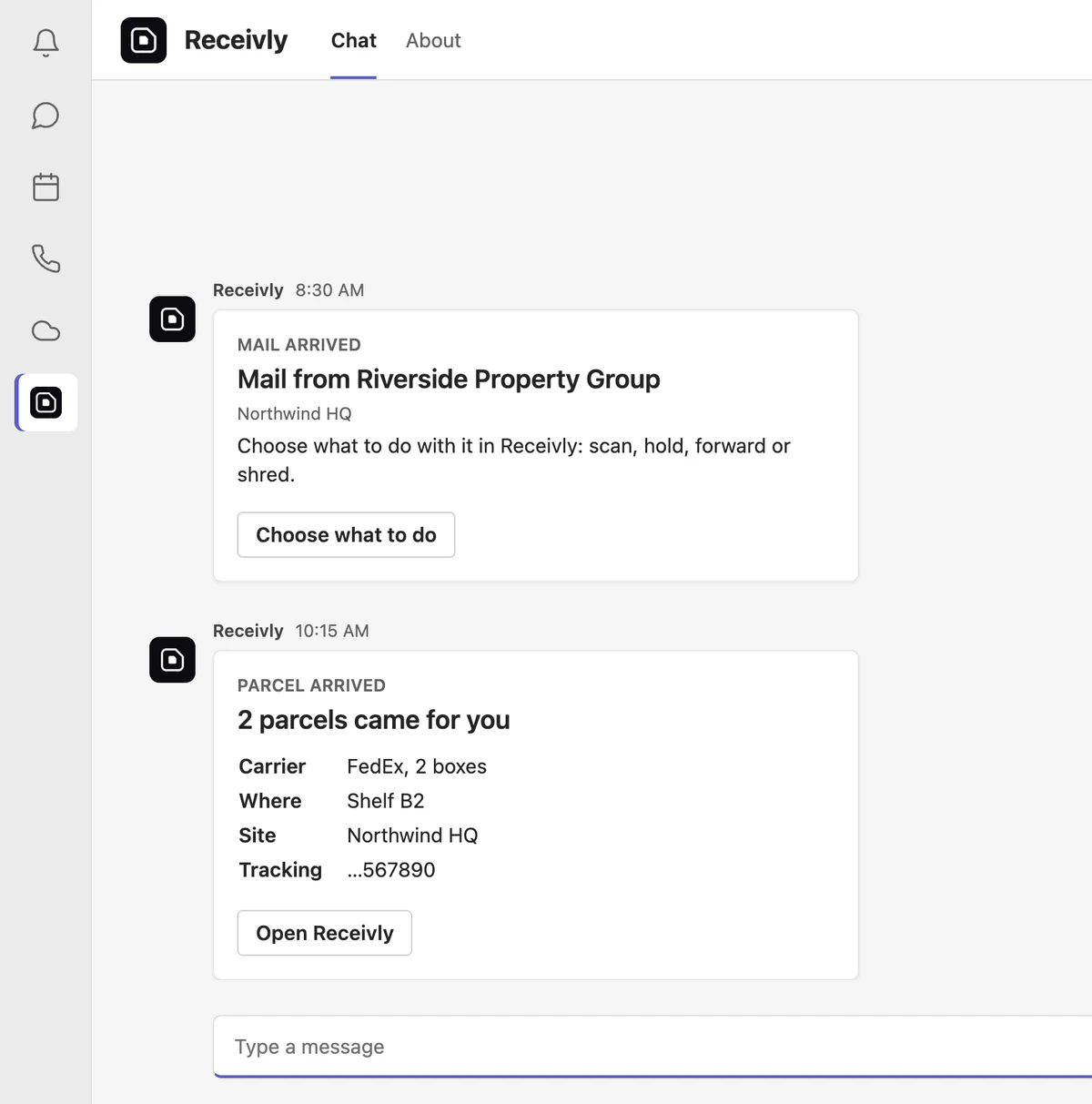
Parcels and mail, in the same chat.
People hear about what came in for them where they already work, instead of digging through email or waiting for a call from the mailroom.
- What arrived, from which carrier, and the shelf it's waiting on.
- A note when it's picked up, so nobody wonders where it went.
- For letters: choose to hold, forward, return or shred, and, where mail scanning is turned on, hear when a scan is ready to read.
Easy for IT. Nothing new for everyone else.
Added once for everyone
Your Microsoft 365 admin adds the Receivly app for the whole company. Nobody else installs anything.
Matched by work email
Receivly finds each host and recipient in Teams by their work email, so there's no separate sign-up.
Channel posts too
Send check-ins, watchlist alerts, arrivals or a daily list of parcels still waiting to a channel for the front desk, mailroom or security team.
You choose what goes where
Turn on messages for visitors, parcels and mail separately, and send each kind of update to the channel that needs it.
English and Spanish
Messages read naturally in either language.
Included with
Pro and Enterprise, Visitors Pro, and Digital Mailroom.
Your team's chat
Microsoft Teams
Visitor, parcel and mail messages straight to each person in Teams, plus posts to your team's channels.
Pro, Enterprise, Visitors Pro, Mailroom
Slack
Check-ins, arrivals and security alerts posted to the channel your team already watches.
Pro, Enterprise, Visitors Pro, Mailroom
Reaching recipients
Arrival, pickup and reminder emails in your own wording.
Every plan
Text messages
Arrival and pickup texts.
Team and up
Your people and your systems
Single sign-on
Staff and recipients sign in with their Microsoft 365 or Google Workspace account. Admins can require it.
Every plan
Directory sync
Your recipient list kept current from your HR or IT system.
Pro and up
Spreadsheet import
Bring in your recipients from a spreadsheet.
Every plan
API and webhooks
Connect Receivly to your own tools and workflows.
Pro and up
At the desk
Brother label printers
A name label for each parcel, printed from the phone as it is received.
Every plan
iPhone, iPad and Android
Native staff apps with the same login as the web.
Every plan
Connect Receivly to your stack.
We'll walk through the connections your team needs in a short demo.