Parcel Management
From the dock
to a signature.
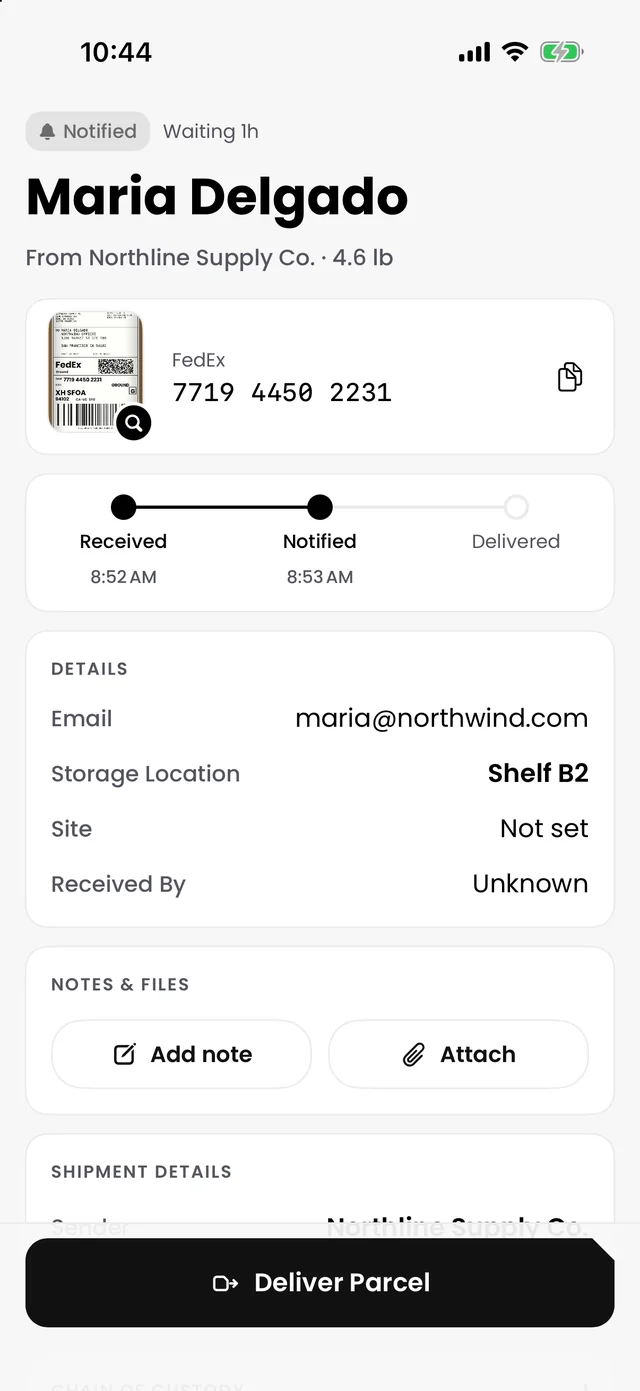
Carrier tracking stops at “delivered to building.” Receivly picks up there: who received it, where it is shelved, who was notified and who took it home.
Private 30-day trial after the demo.
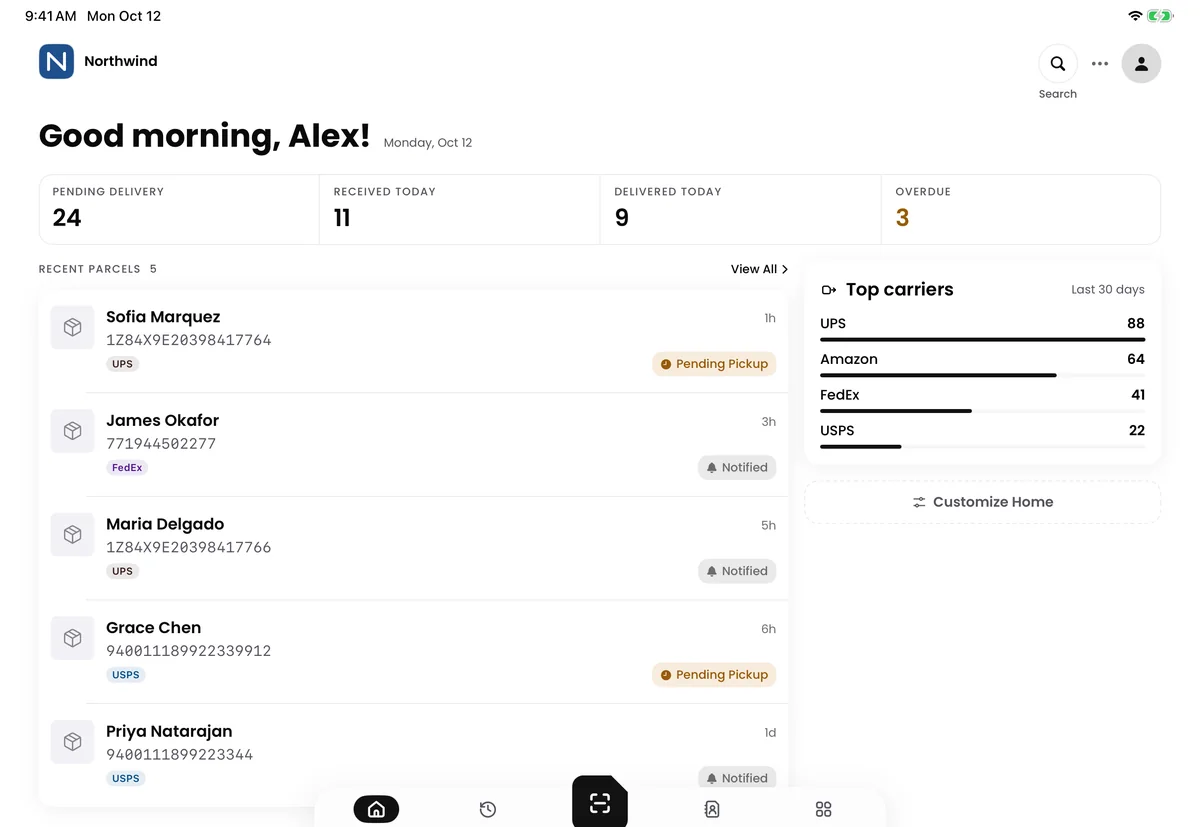
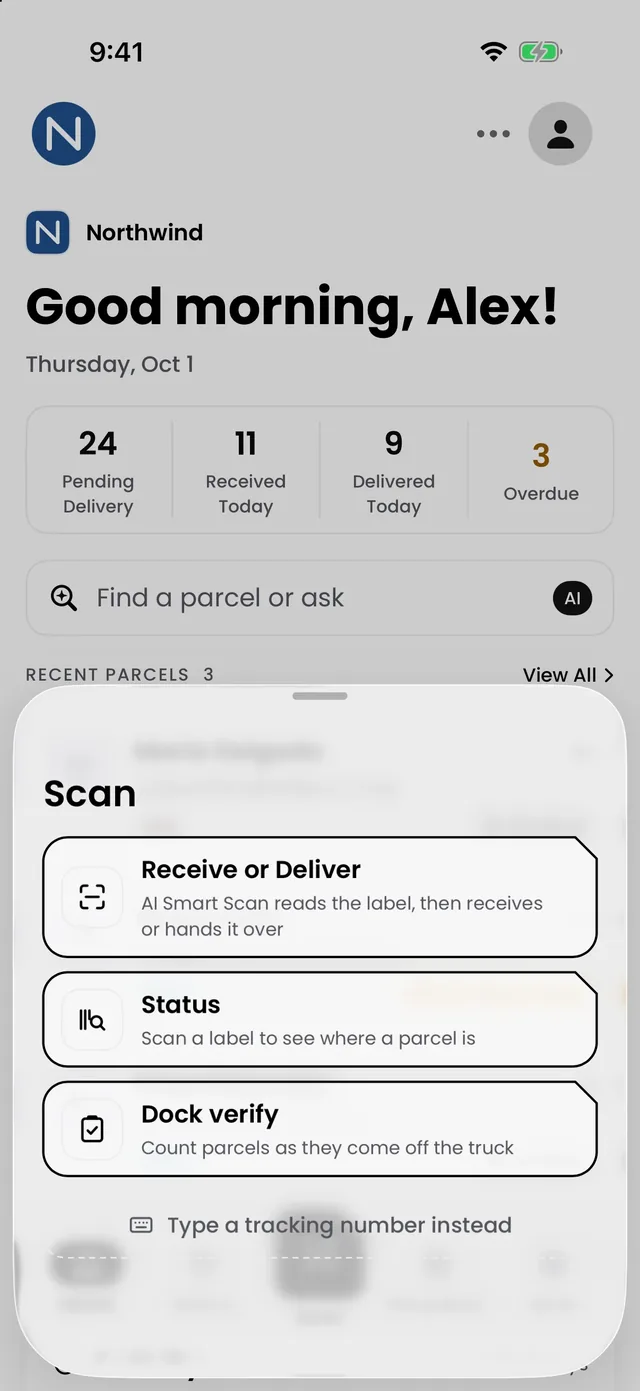
Receive
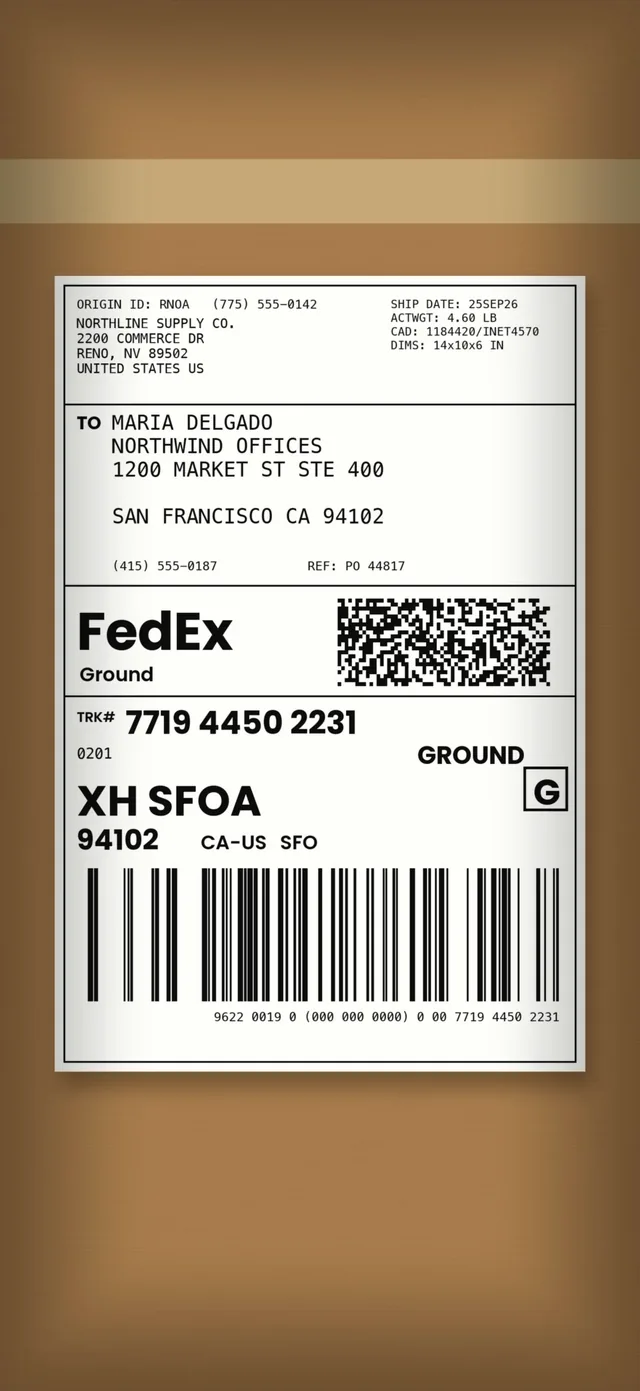
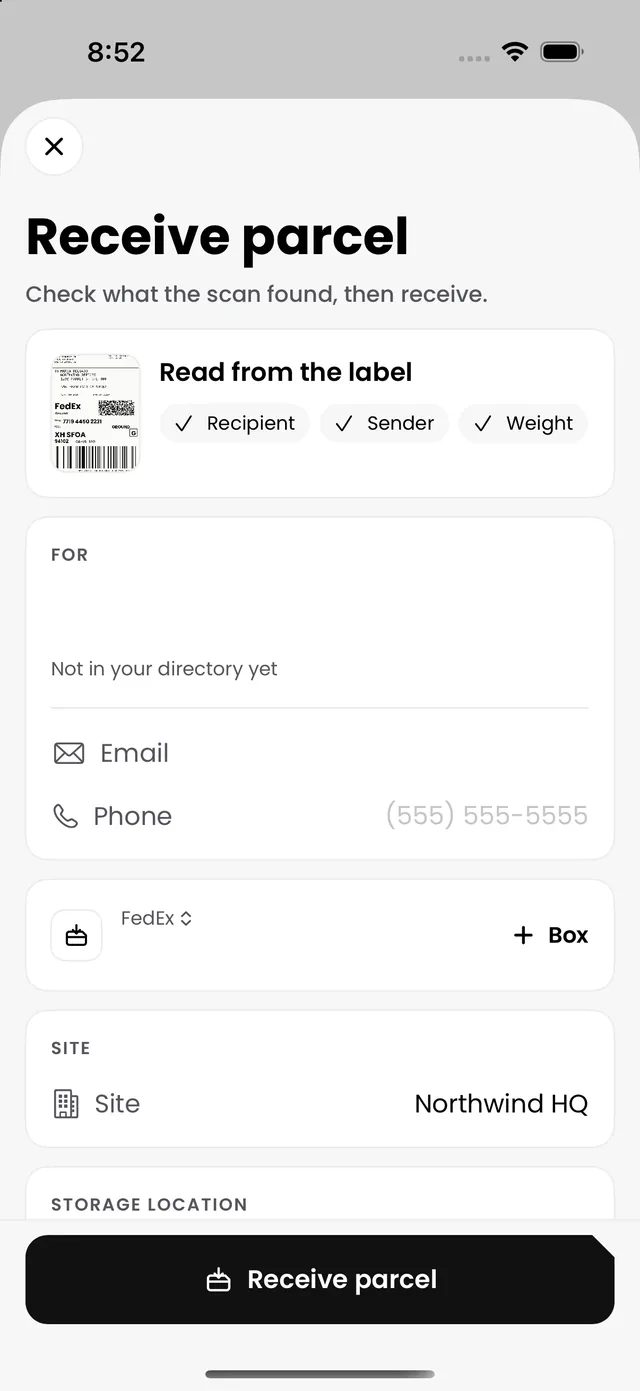
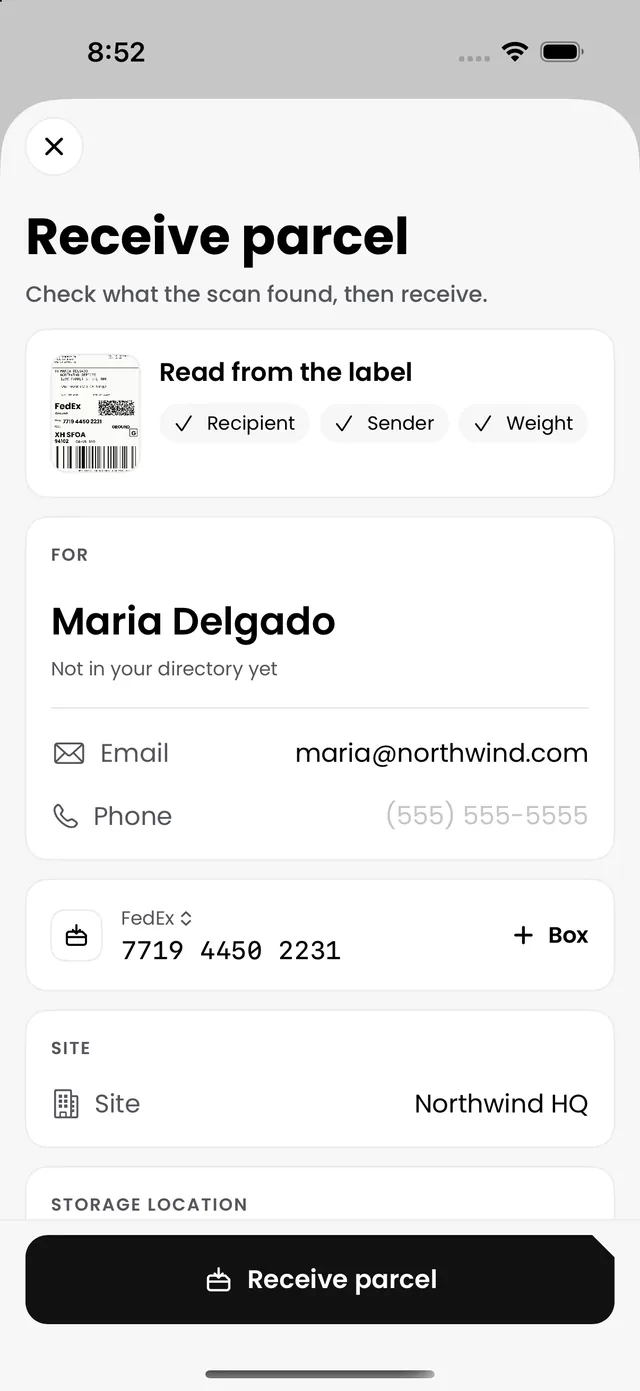
Scan the label. Skip the typing.
Point the camera at the label. AI Smart Scan fills in the carrier, tracking number and recipient in seconds.
- Works with every major carrier
- Shelf labels on a Brother printer
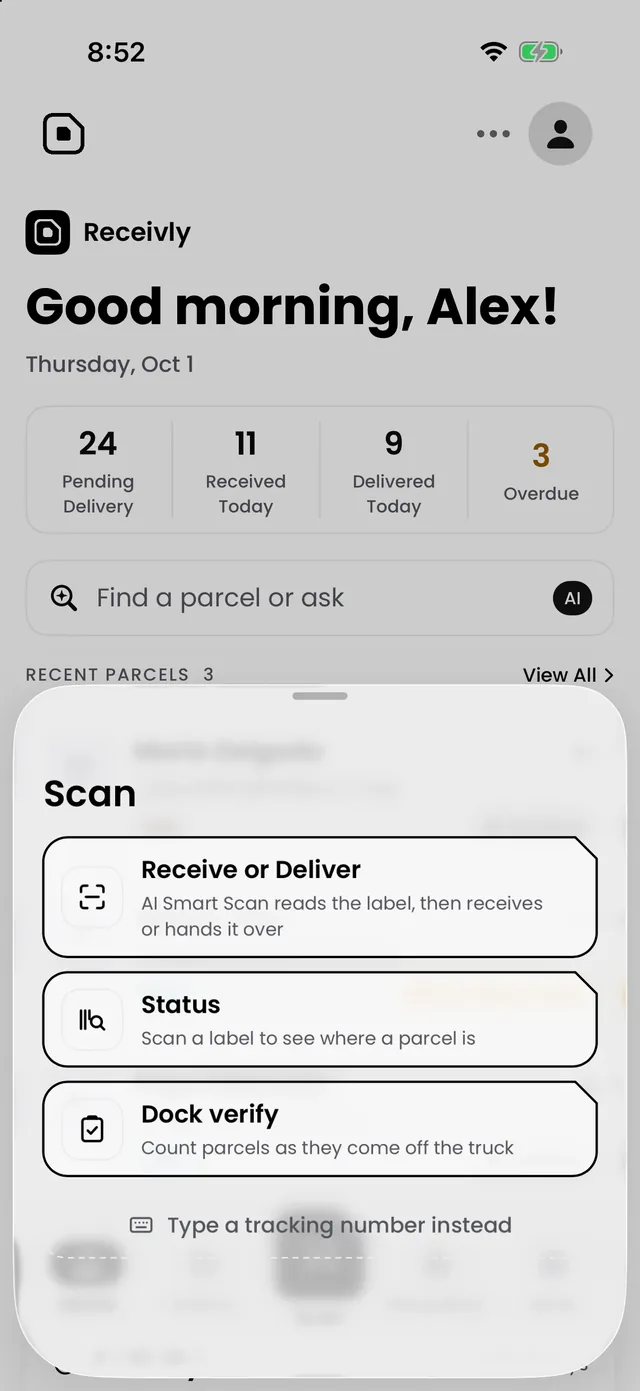
Notify
They know before they ask.
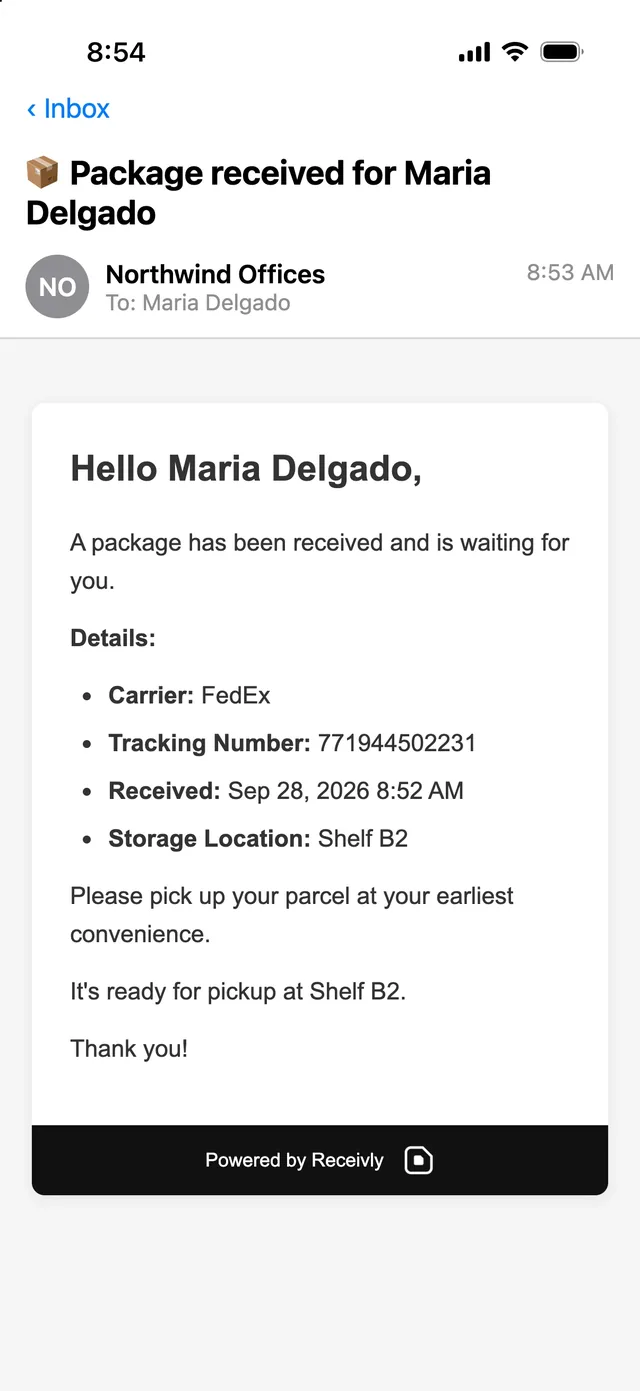
Recipients hear the moment their parcel is logged, with where to collect it. Reminders go out on their own.
- Email or text, in English or Spanish
- One pickup code for everything waiting

Hand over
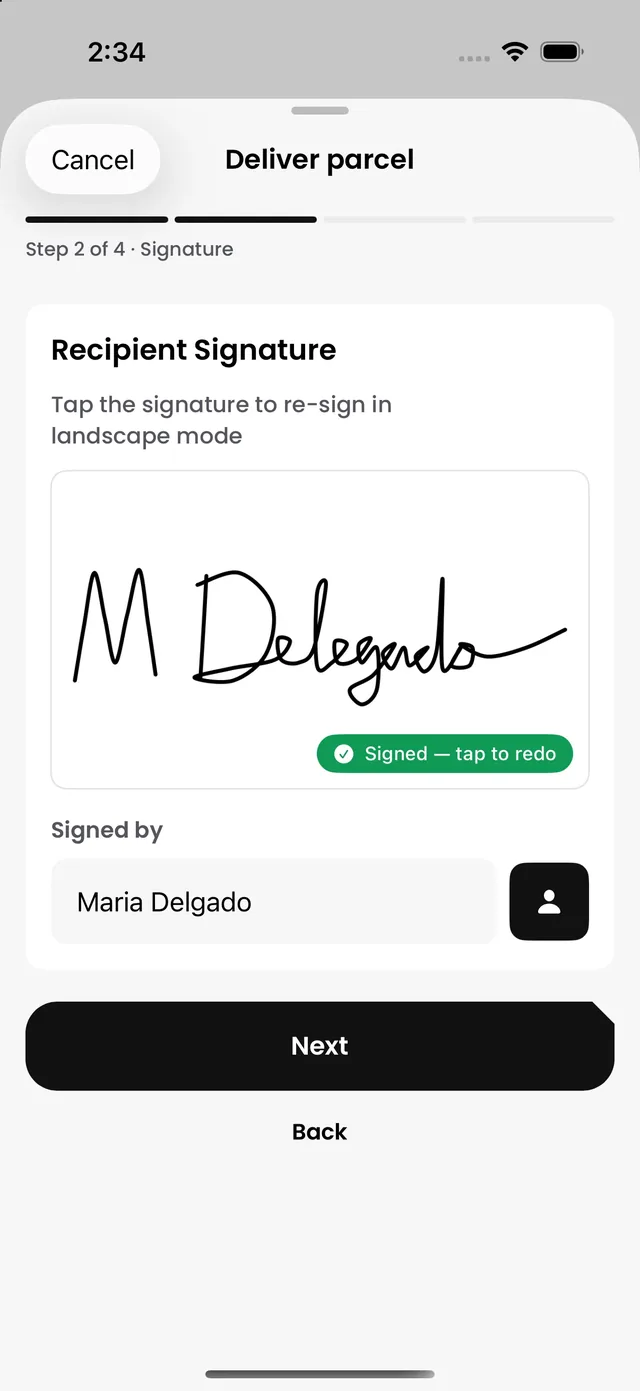
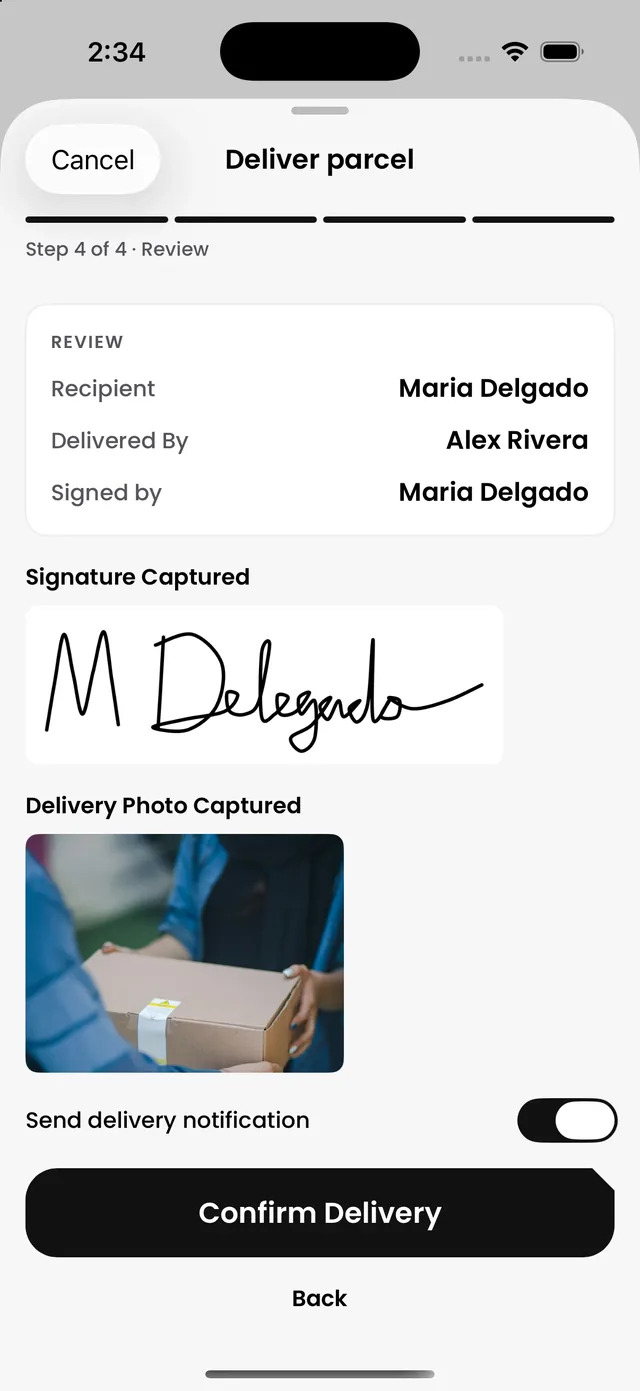
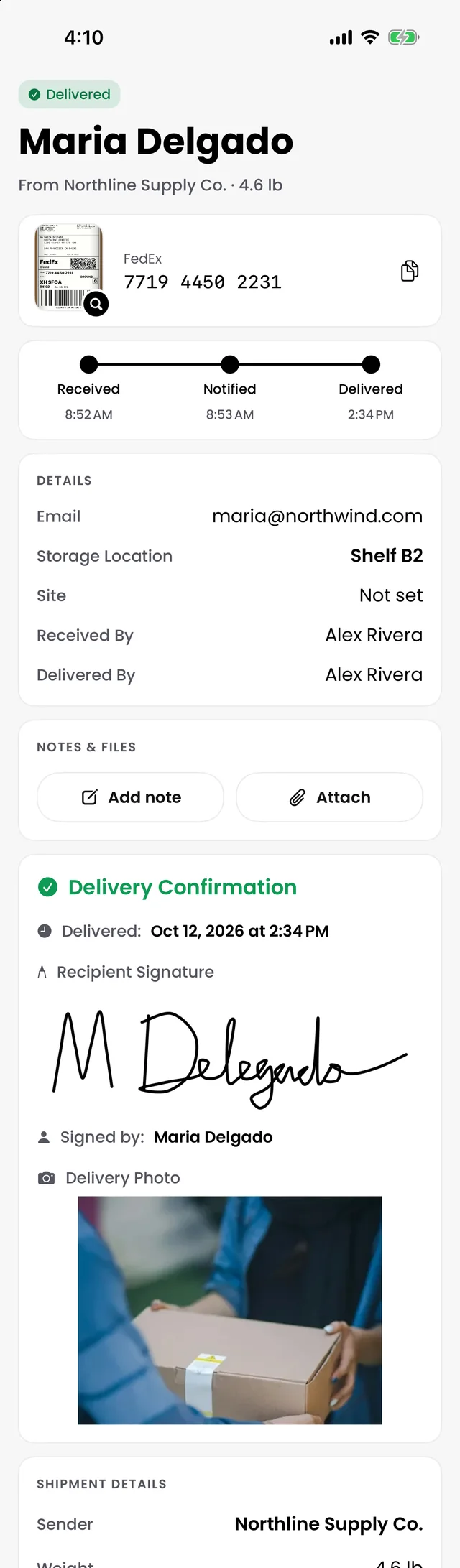
Proof on every pickup.
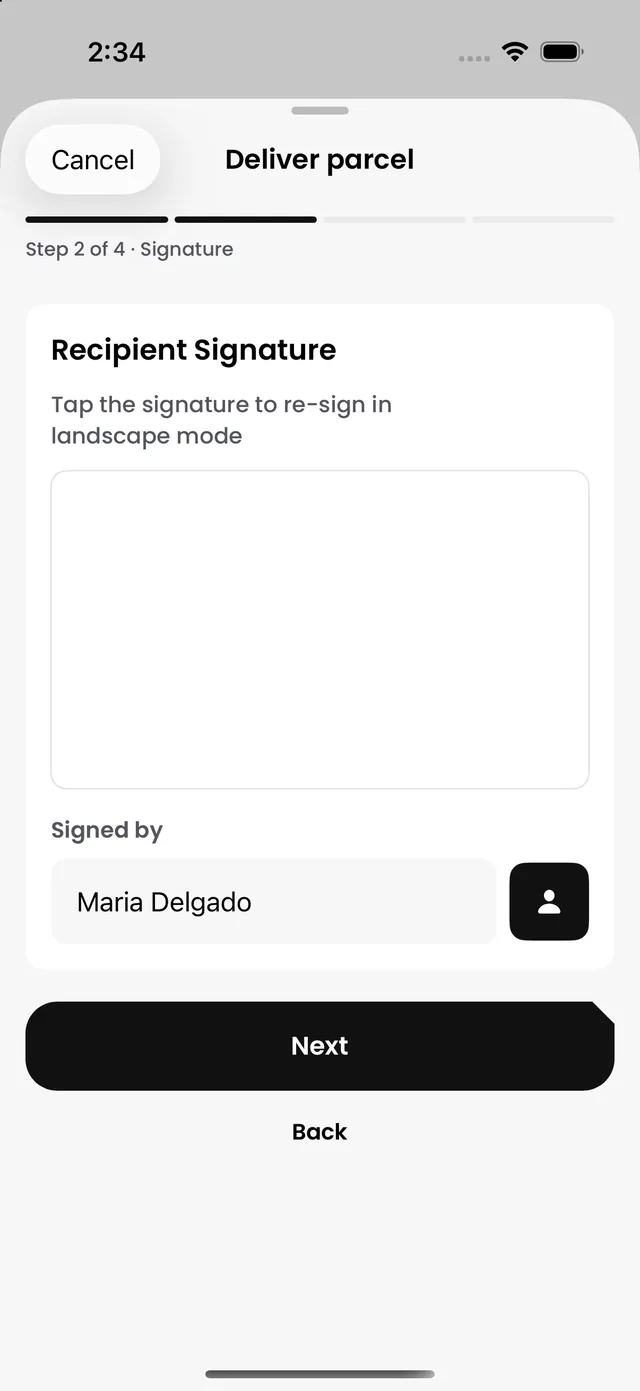
A signature, a photo and the time on every pickup. If anyone asks where a parcel went, the answer is one tap away.
- Proof on every handoff
- Damaged boxes documented on arrival

Find
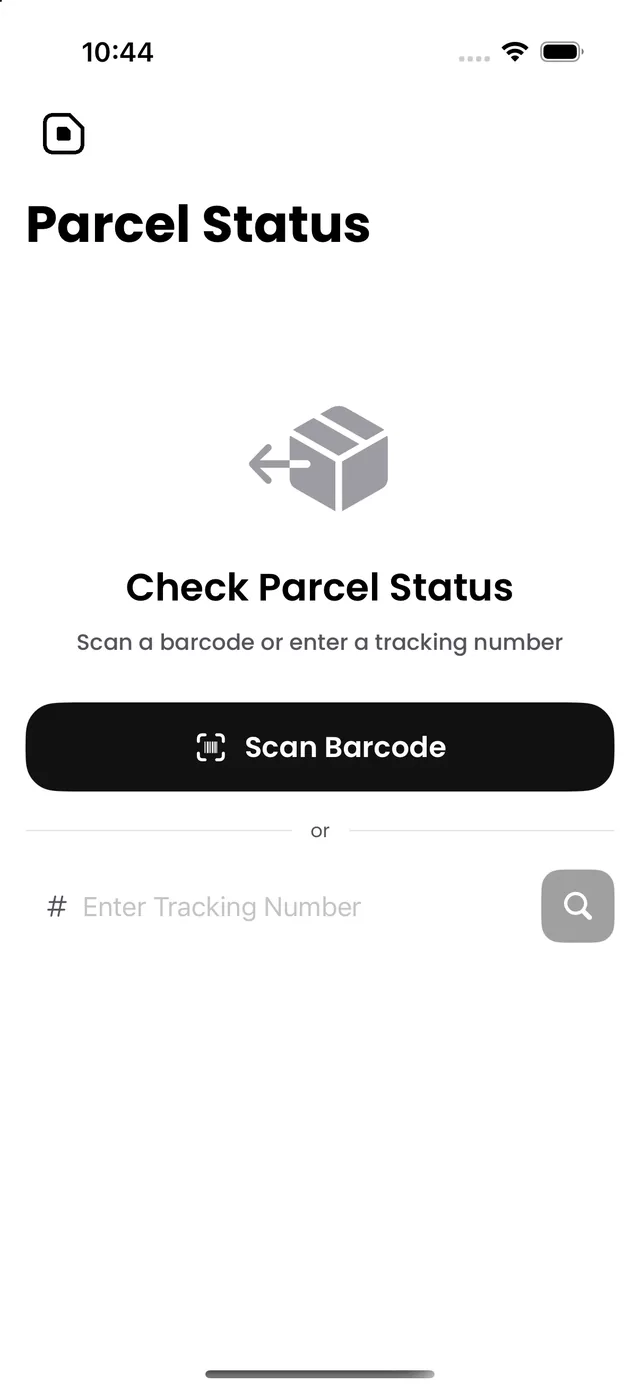
Where is it? Just scan.
Scan any label or search by name or tracking number to see where a parcel is and what happens next.
Every site
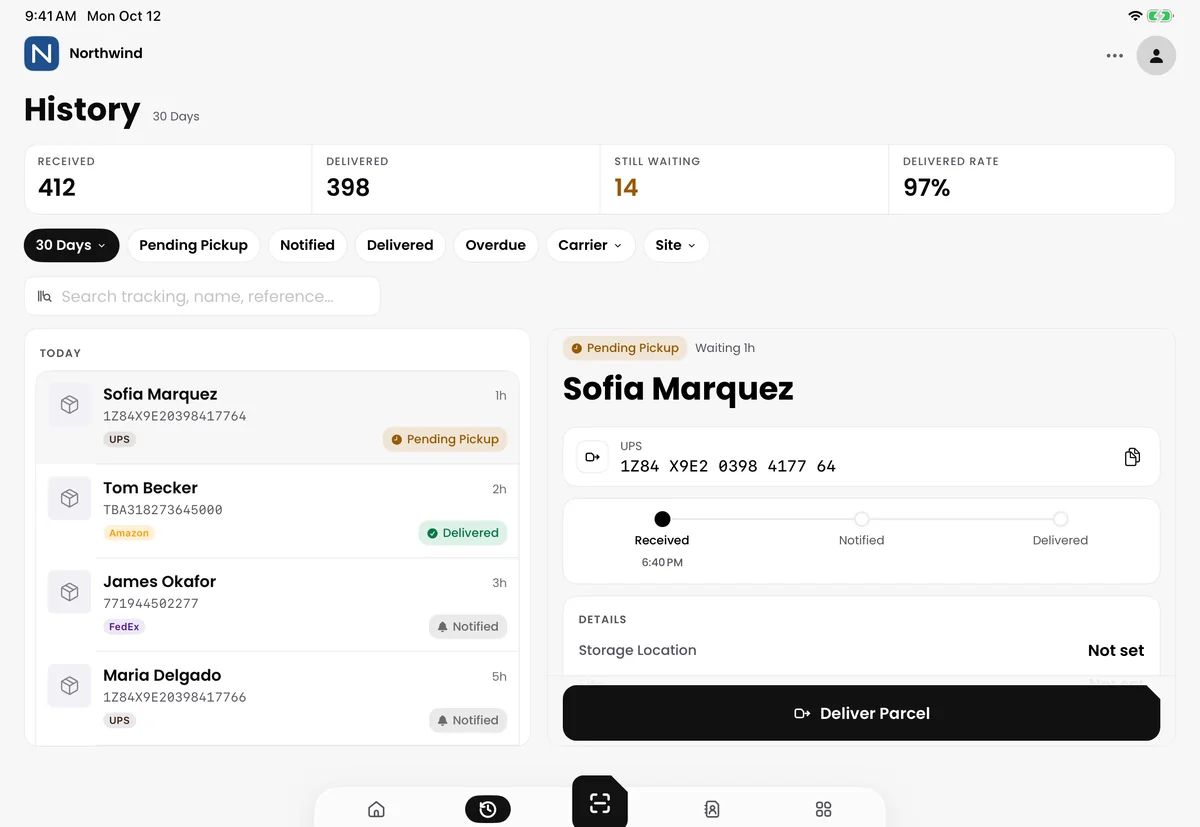
One view of every mailroom.
Run one front desk or a whole campus from one account, with the right access for each person and reports on how your mailroom is doing.
- Multi-site, with access by role
- Reports on volume and pickups
Everything else your mailroom needs.
Works offline
Keeps working when the Wi-Fi drops.
Recipient portal
People see what is waiting for them (Pro and up).
Expected parcels
Know what is on its way (Pro and up).
Interoffice delivery
Deliveries around your buildings, organized (Pro and up).
Integrations
Connects with the tools you already use (Pro and up).
English and Spanish
For your staff and your recipients.
Workplace chain of custody
One record for everything that comes in.
Parcels, mail and visitors share one directory and one record, across every site. Start with one, and add the others to the same account when you are ready.
Questions
What is a mailroom parcel tracking system?
A mailroom parcel tracking system logs inbound parcels when they reach your building, links each item to a recipient, sends notifications, and records proof when the item is handed over.
How is inbound package tracking different from carrier tracking?
Carrier tracking usually ends at ‘delivered to building.’ Inbound package tracking records what happens next: who received the parcel, where it is stored, who was notified, and who ultimately collected it.
What is inbound package tracking software?
Inbound package tracking software records every parcel from the moment it arrives at your building until a named person collects it, with recipient notifications and a signed or photographed handoff on each record.
Can Receivly handle central receiving and a dock-to-mailroom handoff?
Yes. Parcels can be received in one place and handed off to another, and every handoff stays on the same record.
How is it different from a spreadsheet?
A spreadsheet stores rows. Receivly connects intake, recipient alerts, searchable records, signatures, photos, and reporting in one workflow.
Does Receivly notify recipients automatically?
Yes. When a parcel is logged, Receivly can send email and SMS notifications with pickup instructions and a QR code.
Can we try Receivly before buying?
Receivly starts with a demo. Qualified teams can run a private 30-day trial after that demo. There is no open self-serve signup.
What hardware do we need?
A phone, tablet, or computer with a camera is enough to start. Brother label printers add printed shelf labels for higher-volume operations.
See it on your own receiving flow.
A 20-minute demo built around how parcels move through your building today.