Corporate campuses
One record across
every building.
Central receiving on the dock, delivery to every building and floor, and proof at every handoff, all in one account.
30 days free. No credit card.
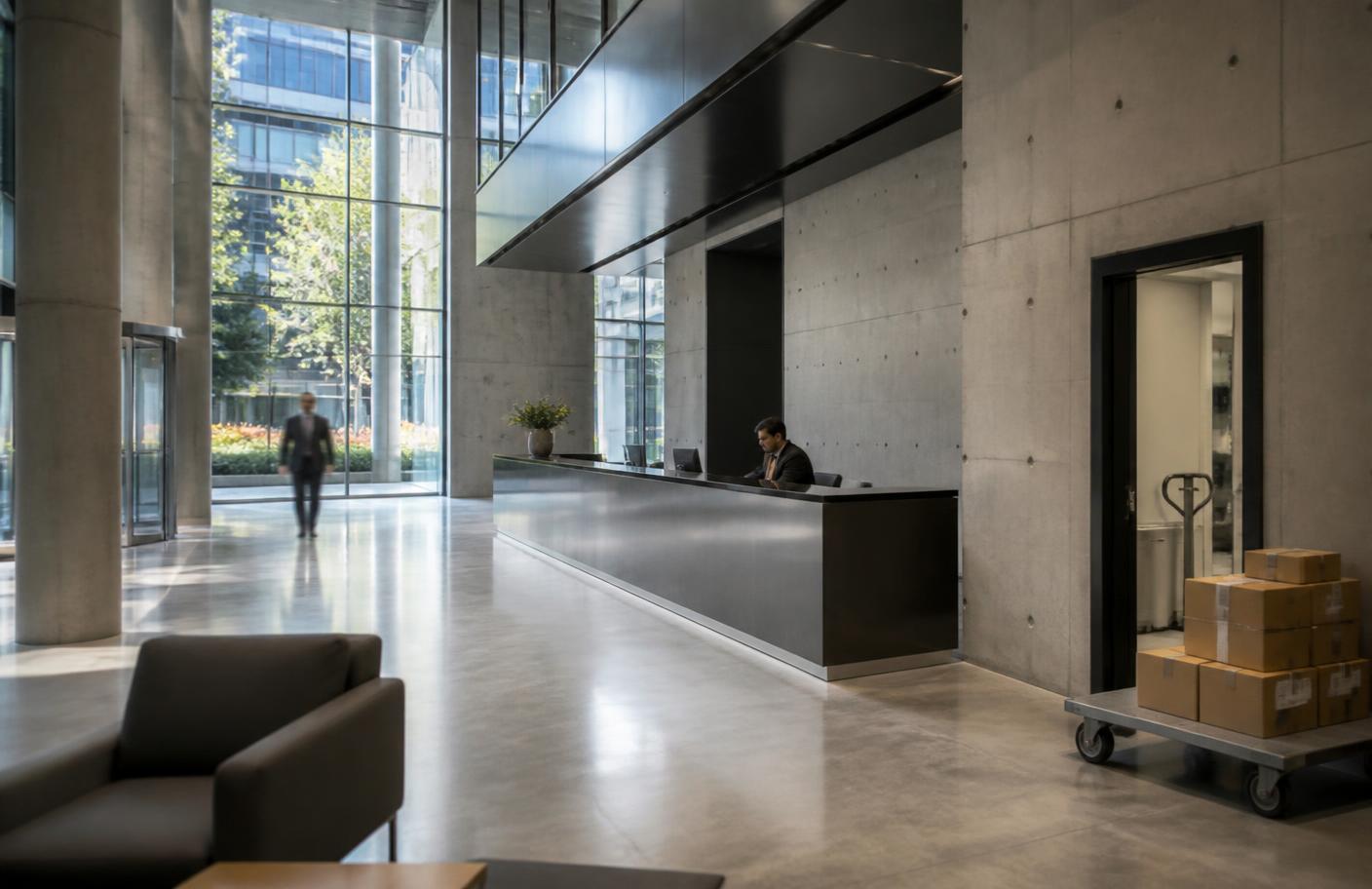
Sound familiar?
Parcels pile up at receiving with no clear home.
Couriers walk their routes from memory.
Every building keeps its own spreadsheet.
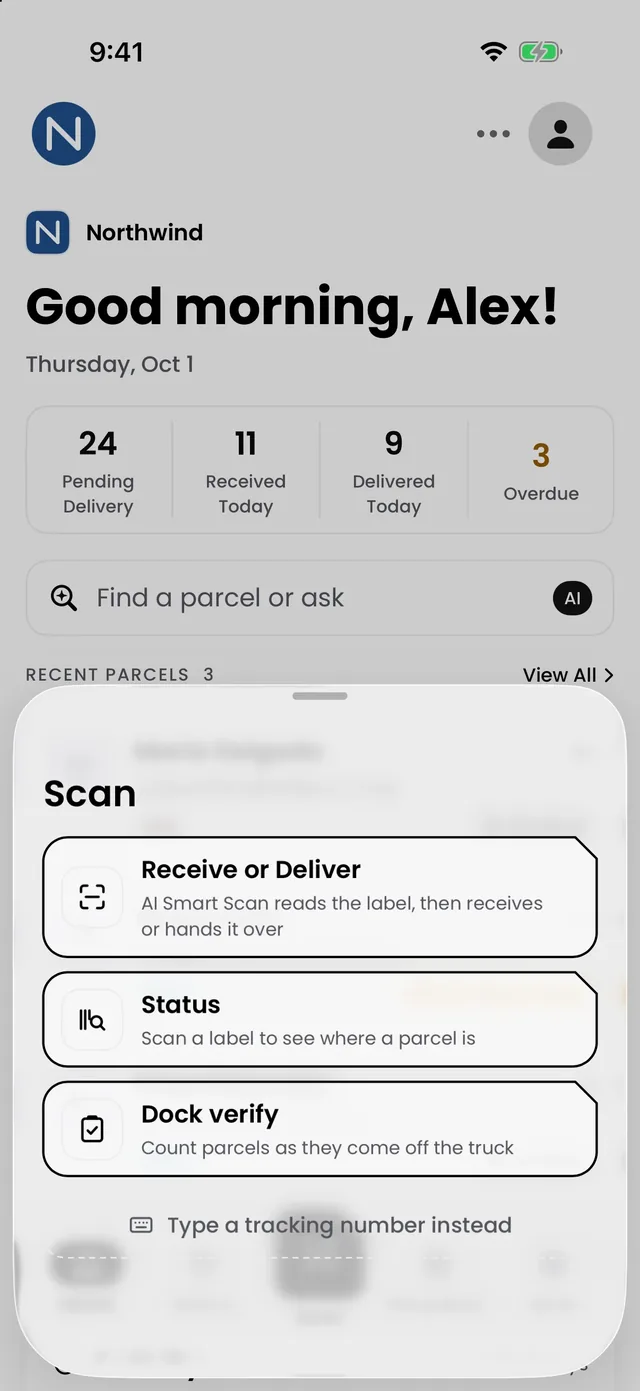
Receive
Counted off the truck.
Count parcels as they come off the truck, then log each one to its recipient with a scan.
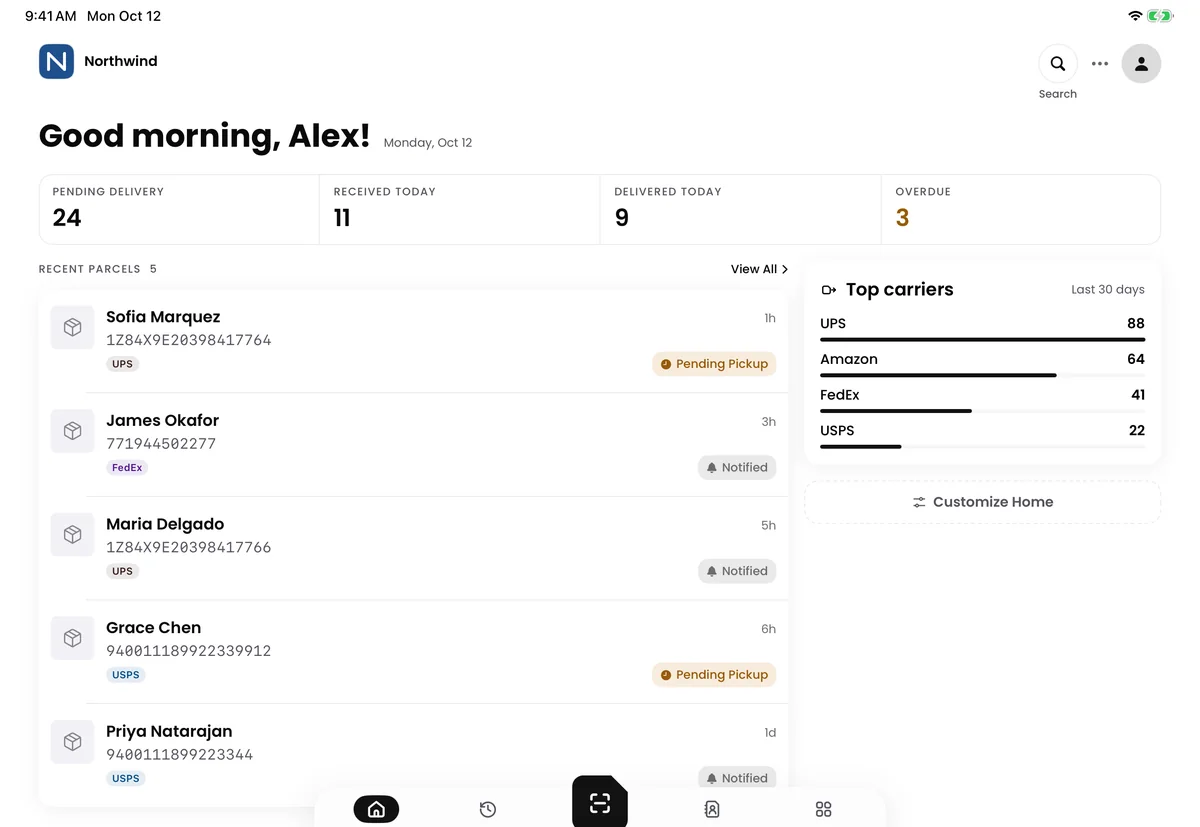
Every site
One view of every mailroom.
Every building on one account. Each team works only on its own building, and admins see them all.
- Staff see only their sites, on the web and the phones
- Site admins run their own building, with no billing access
- Each building gets its own logo and kiosk
- Reports by site, or for the whole campus
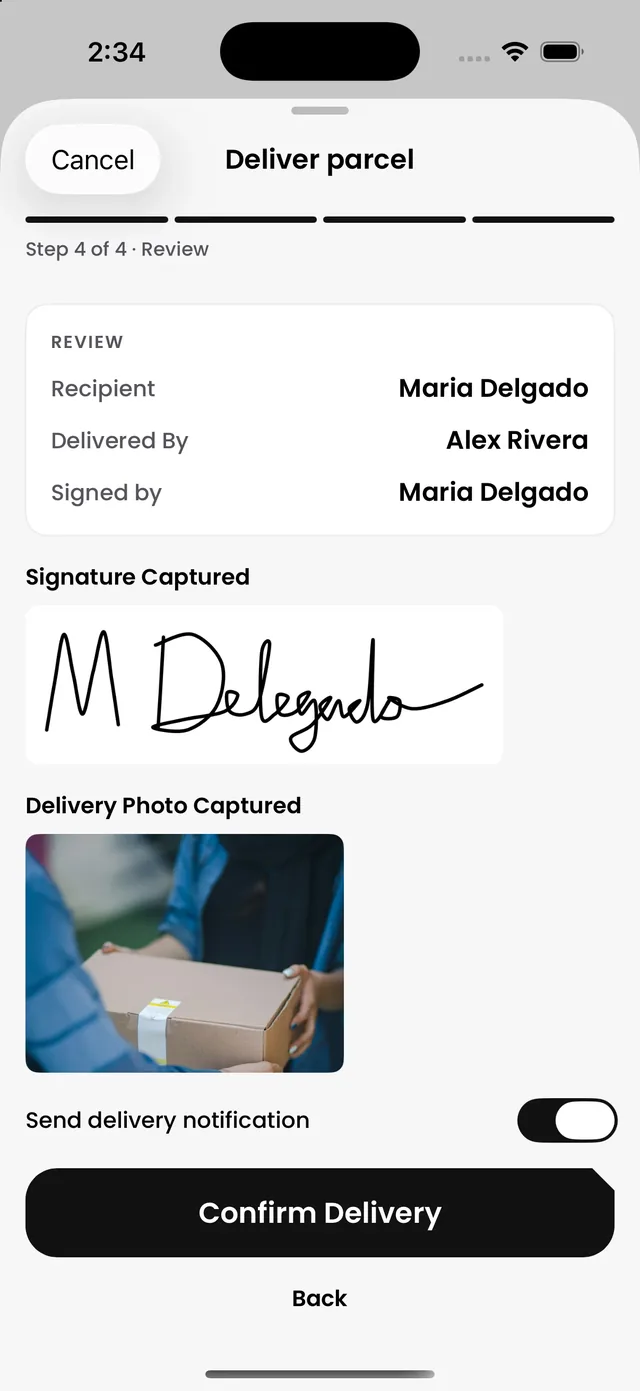
Hand over
Proof at every door.
A signature, a photo and the time on every handoff, whether it is collected at a desk or delivered to a floor.
Workplace chain of custody
Everything that comes into your campus. Accounted for.
Parcels, mail and visitors share one directory and one record, across every site. Start with one, and add the others to the same account when you are ready.
Also built for a campus.
Interoffice delivery
Routes grouped by building, floor and department (Pro and up).
Directory sync
Your people kept up to date automatically (Pro and up).
Expected parcels
Know what is on its way (Pro and up).
Integrations
Connects with the tools you already use (Pro and up).
Digital Mailroom and Visitors
Mail and visitors in the same account (add-ons).
Works offline
Keeps working on the dock when the Wi-Fi drops.
Questions
Can we receive centrally and hand off to each building?
Yes. Parcels can be received in one place and handed off to another, and every handoff stays on the same record.
Can each building see only its own parcels?
Yes. Staff only see the parcels, mail and visitors at the sites they're given, and Receivly checks it on the server, not just on screen. Site admins manage their own building. Organization admins see every site.
What if someone is listed at more than one building?
Give each recipient a home site. When a label matches two people with the same name, Receivly picks the one at the building receiving the parcel, and staff get a note when a parcel arrives somewhere other than the person's usual building.
How do we keep the directory current?
Import it from a CSV, or on Pro and up keep it in sync automatically.
See it across your campus.
A short demo built around how parcels move between your buildings today.
30 days free. No credit card.